

Cross-listing sounds simple.
Create a listing once, send it to several marketplaces and wait for it to sell.
In reality, resellers often discover that cross-listing software comes with subscription fees, listing limits, browser extensions, marketplace-specific forms and features that do not always work as automatically as expected.
That leaves many sellers asking the same question:
Are cross-listing apps actually worth paying for?
A Reddit discussion captured the problem well. The original poster was manually listing on Depop, Facebook Marketplace and Instagram and found the process exhausting. They were adding around 200 to 400 items per month and were concerned that the available software could cost them $30 to $50 every month.
They wanted to know whether the price was justified, whether mobile or desktop worked better, which features were missing, how seamless the syncing process really was and why sellers switched between different services.
Those are the right questions to ask.
The value of a cross-listing app is not determined by how many marketplaces it supports or how many features appear on its pricing page.
It comes down to three things:
- How much time it saves.
- How reliably it prevents mistakes.
- Whether the extra sales cover the subscription.
What does a cross-listing app actually do?
A cross-listing app helps you reuse product information across multiple marketplaces.
Depending on the software, it may copy:
- photos
- titles
- descriptions
- prices
- categories
- sizes
- brands
- condition details
- shipping information
Some tools begin with a universal listing form. You create the product inside the software and then send it to eBay, Depop, Poshmark, Etsy or other supported marketplaces.
Other tools begin with an existing marketplace listing. For example, you might create your normal eBay listing first and then use the software to prepare a matching Depop listing.
More advanced tools can also monitor connected listings. When an item sells on one marketplace, the software attempts to end the matching listing elsewhere.
This is usually called sold sync, sales detection, auto-delisting or inventory sync.
That feature is often more important than the initial cross-listing itself.
When is a cross-listing subscription worth the price?
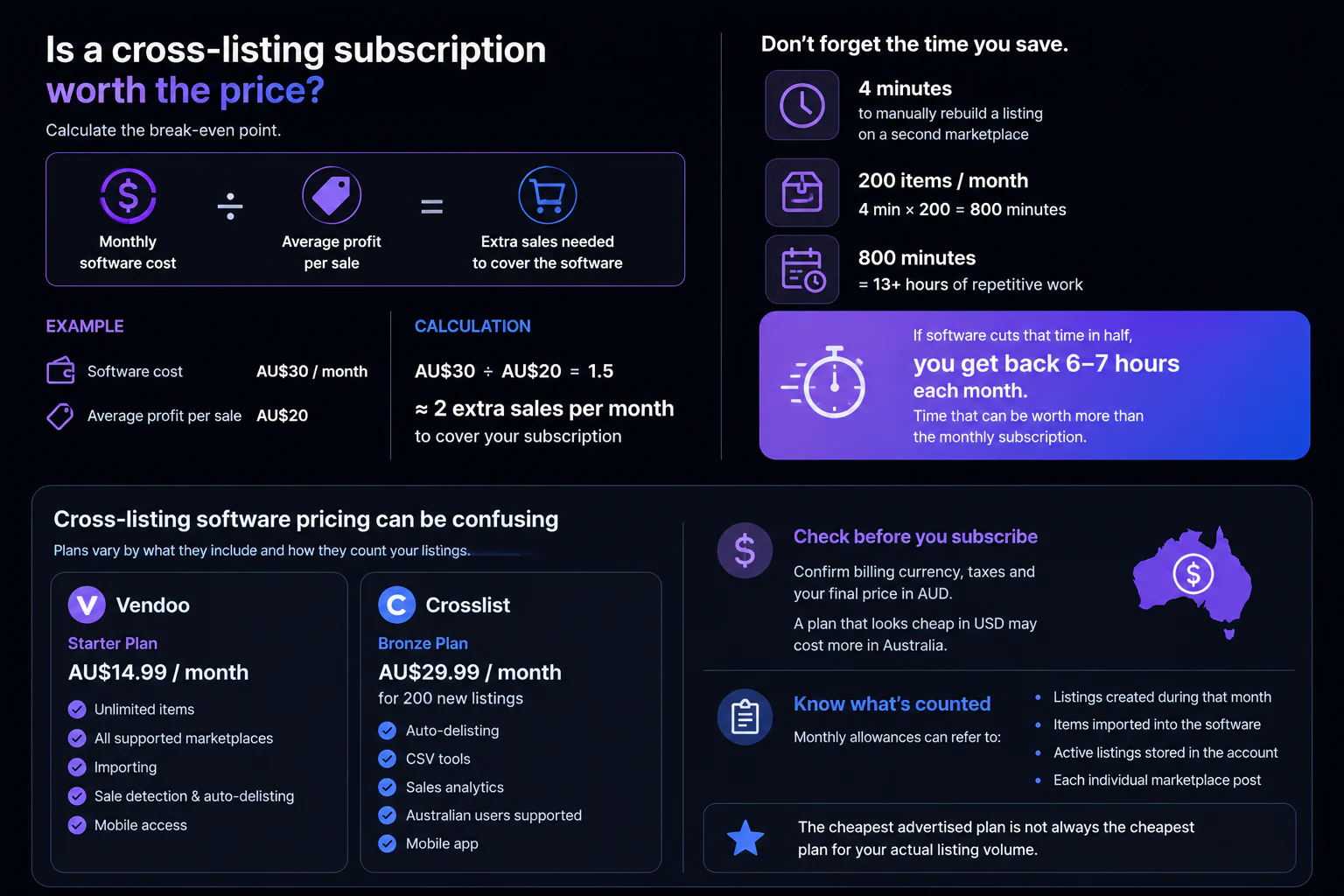
The easiest way to answer this is to calculate the break-even point.
Use this formula:
Monthly software cost / average profit per sale = extra sales needed to cover the software
Imagine a cross-listing service costs you AU$30 per month after currency conversion.
Your average profit after item cost, marketplace fees and postage is AU$20.
AU$30 divided by AU$20 is 1.5.
That means the software needs to generate approximately two additional sales per month to cover its subscription.
That seems achievable, but extra sales are not the only benefit.
You should also calculate the value of the time being saved.
Suppose manually rebuilding a listing on a second marketplace takes four minutes.
If you cross-list 200 items each month, that is:
200 items x 4 minutes = 800 minutes
That is more than 13 hours of repetitive work.
Even if software only cuts that time in half, it could return six or seven hours to you each month.
For a reseller running their store around work, children or other commitments, those hours may be worth more than the subscription itself.
Cross-listing software pricing can be confusing
Pricing structures vary considerably between services.
Some plans charge based on:
- new listings added each month
- total active inventory
- number of connected marketplaces
- access to sold-sync features
- bulk actions
- artificial intelligence credits
- background removal
- analytics
- mobile access
This makes it difficult to compare two services based only on the advertised monthly price.
At the time of writing, Vendoo’s pricing page lists a Starter plan at $14.99 per month with unlimited items, all supported marketplaces, sale detection, auto-delisting, importing, analytics and mobile app access. Higher plans add features such as AI listing enhancement, bulk actions, marketplace sharing and automatic offers.
Crosslist’s pricing page currently advertises its Bronze plan at $29.99 per month for 200 new listings. Its Gold plan is listed at $39.99 per month for up to 1,000 new listings and adds CSV import and export. Crosslist also says its plans include mobile app access, delist and relist tools, shipping profiles and support for Australia.
Australian sellers should confirm the billing currency, taxes and final converted price before subscribing. A plan that looks inexpensive in US dollars may cost noticeably more once it appears on an Australian bank statement.
You should also check whether the monthly allowance refers to:
- listings created during that month
- items imported into the software
- active listings stored in the account
- each individual marketplace post
The cheapest advertised plan is not always the cheapest plan for your actual listing volume.
Do not pay for marketplaces you will never use
Many cross-listing platforms are designed for sellers who want to manage five, ten or even more marketplaces.
That can be useful for a large resale business.
It may be unnecessary for a small Australian seller who only wants to move suitable clothing from eBay to Depop.
Before paying for a broad platform, write down the marketplaces you genuinely plan to use over the next six months.
Not the marketplaces you might try one day.
The ones you will actually maintain.
Every additional marketplace creates more work:
- buyer messages
- offers
- returns
- marketplace rules
- postage settings
- pricing differences
- account health
- cancelled orders
- inventory checks
Being able to publish on ten marketplaces is not valuable when you only have the time to manage two properly.
If the bigger question is whether those extra marketplaces deserve a place in your store at all, read our guide to whether cross-listing to more marketplaces is worthwhile in Australia.
For a deeper comparison, read our guide to the best cross-listing tools for Australian resellers.
Sold sync should be treated as a core feature
The biggest risk with cross-listing one-off items is selling the same product twice.
Imagine a vintage jacket sells on Depop overnight.
Before you notice the order, a buyer purchases the same jacket on eBay.
You now need to cancel one order, disappoint a customer and potentially receive a marketplace defect or negative feedback.
Several participants in the Reddit discussion focused on this problem. Some were worried that listings would not be removed quickly enough, while others reported needing to check marketplaces manually after expected auto-delisting failed.
Other commenters said certain workflows required the cross-listing app, browser or connected marketplaces to remain open and signed in. These are individual user reports rather than controlled tests, but they show why sellers should investigate how a product’s automation actually operates before trusting it with hundreds of one-off items.
When comparing software, ask:
- Does sold sync work in both directions?
- How often are sales checked?
- Does it run when my computer is turned off?
- Does a browser window need to remain open?
- What happens if a marketplace connection expires?
- Will I receive an alert when removal fails?
- Can I see a history of the actions taken?
- Does it detect items sold outside the software?
- What happens when an item is ended rather than marked as sold?
A system that cross-lists quickly but cannot reliably protect your inventory may create more work than it removes.
Sales detection and auto-delisting are not always the same
These terms are often used as though they mean the same thing, but there can be an important difference.
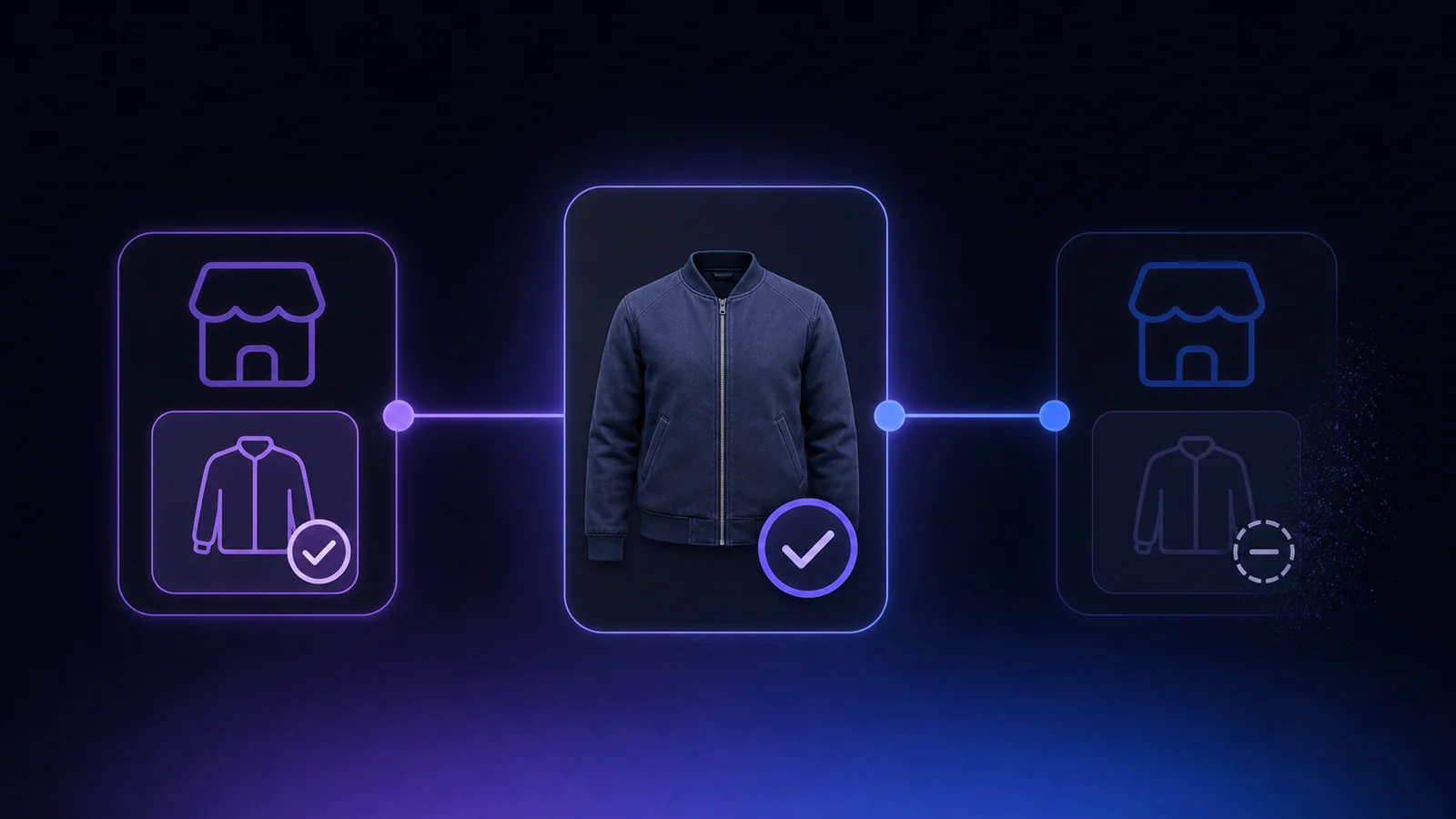
Sales detection means the software notices that an item has sold.
Auto-delisting means the software then removes the matching listings from other marketplaces.
A platform may detect sales without automatically ending every connected listing.
It may also support auto-delisting for some marketplaces but not others.
Check the exact combination you intend to use.
Do not assume that a tool supporting both eBay and Depop automatically provides two-way sold removal between them.
Is mobile or desktop better for cross-listing?
This depends on how you run your store.
Mobile can be better when you:
- photograph stock on your phone
- source and list away from home
- respond to buyers throughout the day
- make quick price changes
- operate a small store without a dedicated workspace
Desktop can be better when you:
- list large batches
- write detailed descriptions
- manage spreadsheets
- edit many listings at once
- compare marketplace categories
- use browser extensions
- process hundreds of items per month
A mobile app is useful, but it should not be treated as a substitute for reliable automation.
One Reddit commenter switched services because they wanted the entire workflow to be available on mobile, then reported significant problems involving duplicated listings and inventory recovery. Another seller described rebuilding hundreds of listings after changing platforms. Again, these are anecdotal experiences, but they show the potential cost of choosing convenience over stability.
For many resellers, the best combination is:
- phone for photos, messages and quick checks
- desktop for bulk listing and inventory management
- cloud-based sold sync running independently of both

How manual is cross-listing software?
No cross-listing tool can make every marketplace identical.
eBay and Depop ask for different information because their buyers search differently.
An eBay listing may include:
- detailed item specifics
- model numbers
- materials
- sleeve lengths
- structured categories
- shipping services
- return settings
A Depop listing may rely more heavily on:
- style
- aesthetic
- brand
- size
- colour
- shorter descriptions
- relevant keywords
Good cross-listing software should reuse the information that transfers cleanly while allowing you to adjust the parts that need marketplace-specific attention.
You should be suspicious of two extremes.
The first is software that requires so much manual input that it barely saves time.
The second is software that publishes everything automatically without giving you a chance to review inappropriate categories, strange descriptions or incorrect shipping settings.
For most resellers, the best balance is automation with clear control: let routine cross-listing run automatically, while keeping the option to choose items and act on warnings.
The software prepares the listing.
You check it.
Nothing goes live until you approve it.
Features that matter more than an AI description writer
AI descriptions are becoming common in reseller software, but they are not necessarily the most valuable feature.
A reasonable description can already be created quickly from your existing listing.
The features that prevent mistakes and remove repetitive work may be much more useful.
Look for:
Existing listing imports
The tool should be able to reuse listings you have already created.
Starting from scratch inside a new dashboard defeats much of the purpose.
Automatic category mapping
An eBay clothing category will not always have an identical Depop category.
The software should make a sensible suggestion and allow you to correct it.
Marketplace-specific pricing
Different platforms have different fees, buyer expectations and offer cultures.
You may want to list the same item at different prices.
Approval controls
Nothing should be published unexpectedly just because you connected an account.
Suitability warnings
Not every eBay item belongs on Depop.
Software should help identify restricted, unsupported or unsuitable items before they are posted.
Connection alerts
Marketplace connections can expire.
You should be warned quickly rather than discovering weeks later that your listings were no longer syncing.
Two-way sold removal
An eBay sale should remove the Depop listing, and a Depop sale should remove the eBay listing.
Shipping support
For Australian sellers, support for Australia Post workflows may be more useful than features designed around US shipping carriers.
Data export
You should be able to export your inventory if you cancel or move to another service.
Why do resellers switch cross-listing apps?
The Reddit discussion included sellers who changed services for several reasons.
Some wanted fewer listing limits. Others wanted better mobile access, more reliable inventory syncing, lower prices or fewer paid add-ons. One user said they moved from Vendoo to Crosslist because they could access a larger monthly allowance and additional features without repeatedly upgrading.
The most common reasons for switching are likely to be:
- price increases as the store grows
- unreliable sold-item removal
- marketplace connections breaking
- too many browser-dependent steps
- poor mobile support
- slow listing workflows
- missing marketplaces
- weak customer support
- difficult inventory migration
- paying for features that are never used
Switching can also be expensive in time.
Before moving hundreds of listings, test the replacement tool with a small portion of your inventory.
How to test a cross-listing app properly
Do not import your entire store on the first day.
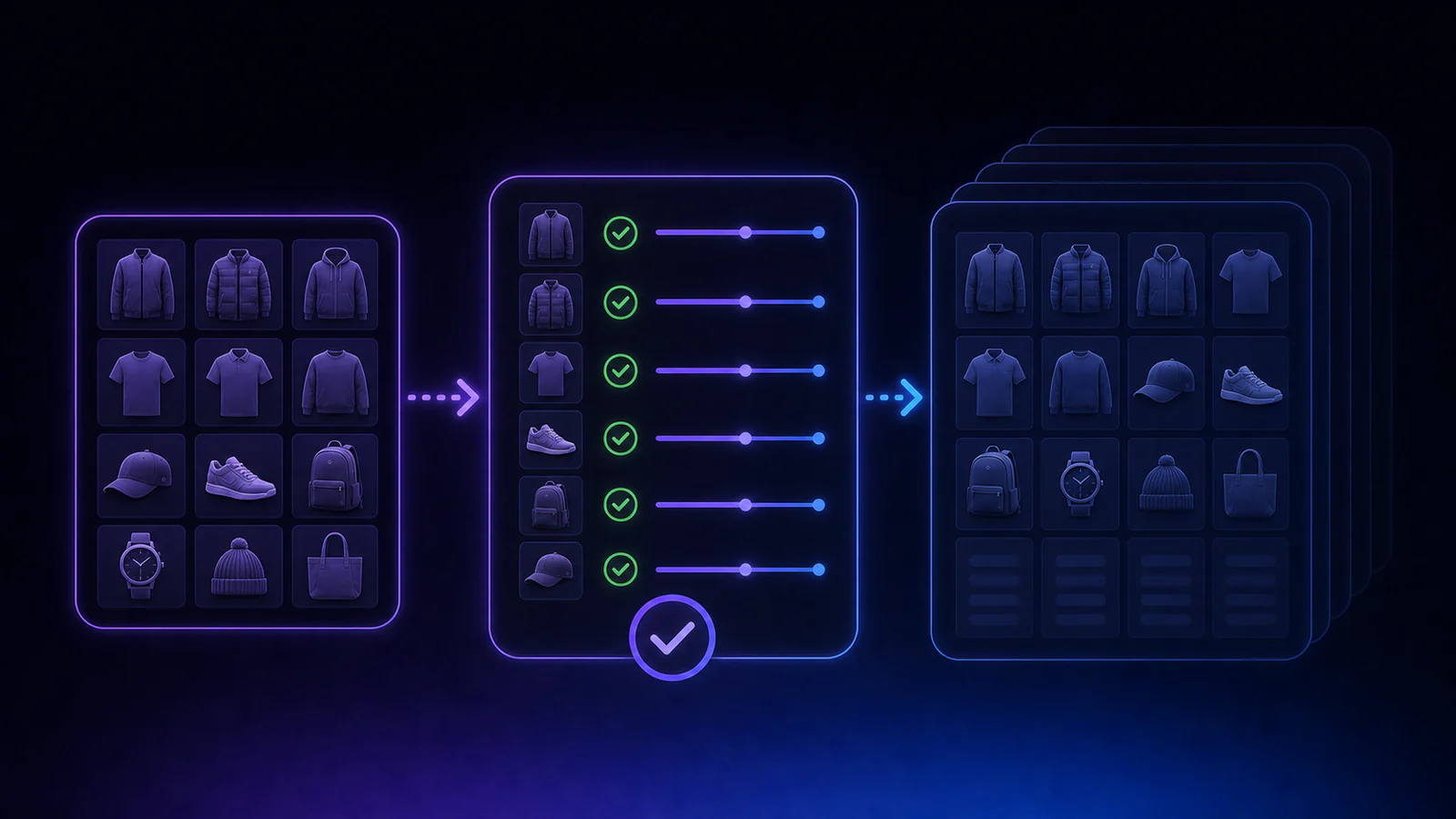
Start with around 10 to 20 items.
Choose a mixture of:
- straightforward clothing
- items with variations in condition
- listings with longer descriptions
- products with multiple photos
- different brands and sizes
- an item with a more complicated category
Then test the full workflow.
1. Import an existing listing
Check whether the photos, title, description, condition, price and shipping information transfer correctly.
2. Prepare a second-marketplace listing
Measure how long it takes to review and publish it.
Compare that time with creating the listing manually.
3. Edit an item
Change a price or description and see whether the software clearly explains what will be updated.
4. End a listing
Confirm what happens to its connected marketplace listing.
5. Check connection warnings
Look for clear alerts when an account becomes disconnected or requires action.
6. Wait for a genuine sale
When one of the test items sells, check how quickly the other listing is removed.
Do not assume the feature works just because the marketing page says it does.
7. Review the monthly value
At the end of the test, calculate:
- time saved
- extra sales
- mistakes prevented
- manual checks still required
- total subscription cost
That will give you a more useful answer than reviews from sellers with completely different businesses.
Who probably does not need cross-listing software?
You may not need a paid service when:
- you only list a few items each month
- you sell mainly on one marketplace
- most of your products have multiple quantities
- your second marketplace produces very few sales
- you are still learning how each platform works
- manually updating your listings takes less time than managing the software
For a casual seller adding five or ten items per month, manual cross-listing may be perfectly reasonable.
Software becomes more attractive as your inventory, listing frequency and risk of double-selling increase.
Who is most likely to benefit?
Cross-listing software is more likely to be worthwhile when:
- you list at least several items each week
- you regularly sell one-off stock
- you already have a large eBay inventory
- you sell clothing suitable for Depop
- recreating listings is stopping you from expanding
- you have previously forgotten to remove a sold item
- you spend hours copying photos and descriptions
- your subscription can be covered by a small number of extra sales
The question is not whether every reseller should use a cross-listing app.
The question is whether automation removes a genuine bottleneck in your particular store.
Cross-listing may become more attractive for Australian Depop sellers
Depop has announced that Australian seller fees will be removed from 22 July 2026. Under the new structure, a marketplace fee will instead be charged to buyers. This could make Depop more attractive to Australian clothing resellers, although sellers will still need to consider how the buyer fee affects pricing and demand.
For an eBay seller with suitable fashion stock, Depop can provide access to a different audience without requiring completely different inventory.
The main barrier is the repeated listing work.
That is where a focused cross-listing workflow may make sense.
For more detail on the local fee change, read our Depop fees Australia guide.
Where Listalong fits
Listalong is designed for Australian resellers whose main marketplaces are eBay and Depop.
It is not trying to support every marketplace.
The workflow is focused:
- Create a listing in eBay or Depop as normal.
- Let Listalong cross-list automatically, or choose items yourself.
- Send each listing to the other marketplace.
- Check any destination-specific warnings.
- Keep the two listings linked.
- Normally end the remaining listing when the item sells.
Listalong includes automatic and selected-item cross-listing, destination-specific checks, linked sold sync and an Australia Post export workflow. It is available with a 14-day free trial. See the pricing page for current plans after the 14-day trial.
Your free trial starts only when both eBay and Depop are connected. Setup time does not count.
That focused approach will not suit someone who needs to list on ten marketplaces.
It is intended for Australian resellers who want one listing on eBay or Depop to reach buyers on both marketplaces without adopting a much larger inventory platform.
For a practical example, see how to turn an eBay listing into a Depop listing.
Frequently asked questions
Are cross-listing apps worth it?
They can be worth paying for when the time saved and additional sales exceed the monthly subscription. They are most useful for sellers who list frequently, use multiple marketplaces and sell one-off items.
How many listings do I need before using cross-listing software?
There is no fixed number. Even 30 to 50 new items per month may justify a low-cost tool when each listing takes several minutes to recreate. Higher-priced services generally make more sense for larger stores or sellers using several marketplaces.
Do cross-listing apps prevent double-selling?
Some offer sales detection and automatic delisting, but coverage and reliability can vary between marketplaces. Check whether the exact marketplaces you use are supported in both directions.
Can I use a cross-listing app on my phone?
Some services provide mobile apps, while others depend more heavily on desktop browsers or extensions. Test the complete workflow rather than choosing a product solely because it advertises mobile access.
What is the best cross-listing app for Australian sellers?
That depends on the marketplaces you use. A seller managing many international platforms may prefer a broad tool such as Vendoo or Crosslist. An Australian seller focused on moving eBay clothing to Depop may prefer a simpler, more specialised workflow.
Should I choose the app with the most features?
Not necessarily. The best tool is the one that reliably supports your marketplaces, saves enough time and protects your inventory without making your workflow more complicated.
Final thoughts
Cross-listing apps can absolutely be worth it.
But only when they solve the right problem.
Do not choose software because it supports the most marketplaces or has the longest feature list.
Choose it because it saves time, reduces repetitive listing work and lowers the risk of selling the same item twice.
Before subscribing, calculate how many additional sales are needed to cover the monthly price.
Test the sold-sync process.
Check whether automation runs when your computer is off.
Confirm the listing limits.
And be honest about how many marketplaces you actually intend to manage.
For some resellers, a large multi-marketplace system will be the right investment.
For others, it will be unnecessary overhead.
If you already create detailed eBay listings and simply want suitable clothing to reach Depop buyers, a focused eBay-to-Depop tool may be all you need.
One good listing should be able to work in more than one place.
It should not create a second job.
Sources and further reading
Pricing, marketplace support and fee rules change often. These sources were checked on 12 July 2026: