
If the item is already listed on eBay, cross-listing it to Depop should not mean starting from a blank screen. The photos, measurements, condition notes and most product facts already exist.
The useful work is deciding what can be reused, what needs adapting and how the two live listings will stay connected after publication.
Written by Nathan, an Australian reseller and the founder of Listalong. This guide uses an eBay-first workflow: create one detailed source listing, adapt it for Depop and keep both adverts tied to the same physical stock item.
Quick answer: how to cross-list from eBay to Depop
- Choose an eBay fashion item that suits Depop.
- Reuse your original photos and accurate product facts.
- Rewrite the title and description for a fashion buyer.
- Select Depop’s own category, size, brand, colour and condition fields.
- Set the price and Australian postage deliberately.
- Review the finished Depop listing before publishing.
- Give both listings the same SKU and remove the other one immediately after a sale.
For before-and-after wording, see our eBay to Depop title and description examples. To reuse existing listings with software, see the eBay-to-Depop cross-listing tool.
Before you start: one item, two live adverts
Cross-listing means advertising one physical item on more than one marketplace. It does not create extra stock.
If a grey shirt is live on both eBay and Depop, a sale on either platform leaves the other listing without an item behind it. Your cross-listing process is only safe when ending the second advert is treated as part of handling the first order.
That is the operational difference between copying a listing and actually managing cross-listed inventory.
What you can reuse and what you must review
| Listing element | Reuse from eBay? | What to check for Depop |
|---|---|---|
| Original photos | Usually | Cover-photo order, crop, clarity and ownership |
| Brand and labelled size | Usually | Select the exact Depop fields and add measurements |
| Measurements | Yes | Make the method and units clear |
| Condition and flaws | Yes | Match Depop’s condition option and keep every disclosure |
| Title | As raw material | Shorten it into natural, relevant wording |
| Description | As raw material | Remove eBay-only language and improve scanability |
| Category and item specifics | No direct copy | Choose the closest accurate Depop attributes |
| Price | Not automatically | Recheck fees, buyer expectations, postage and offers |
| Shipping setup | No | Enter the correct Australian delivery details |
| SKU or stock number | Yes | Use the same identifier on both listings and in storage |
This is why a blind copy-and-paste is risky. Facts such as material and measurements transfer well; marketplace-specific selections do not.
Step 1: choose stock that belongs on Depop
Do not move your entire eBay store across simply because you can.
Depop is a stronger fit for items such as:
- Branded or vintage clothing
- Streetwear and workwear
- Jeans, jackets, shirts and dresses
- Shoes, bags and fashion accessories
- Distinctive colours, prints or silhouettes
Electronics, spare parts, appliances and general household stock are usually a poor match for a fashion-led marketplace. The item must also comply with Depop’s current prohibited and restricted items policy.
For a first batch, choose 10 to 20 items with clear photos, known storage locations and complete condition notes. A small batch exposes weaknesses in the workflow without putting your whole store at risk.
Step 2: start from the complete eBay listing
The eBay listing should be the source record, not just a title you copy.
This real test listing includes a recognisable full-item photo, brand, garment type, labelled size, condition and price. Those facts give the Depop draft a useful foundation.
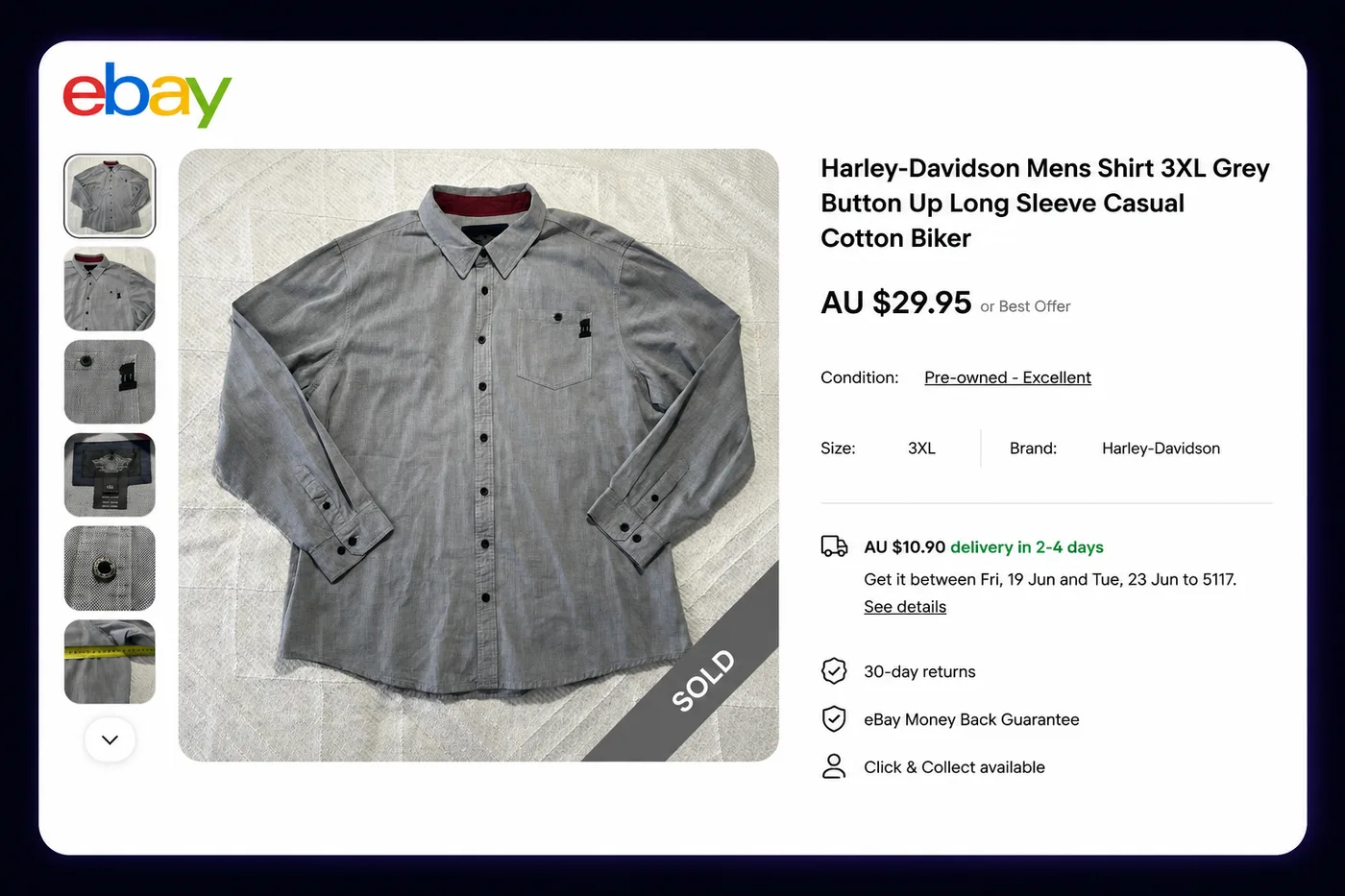
Before moving it, check the physical item against the listing. Confirm that the correct shirt is in the expected storage bag and that no condition detail was missed when it was first photographed.
Step 3: reuse your photos in a better order
You can reuse your own original eBay photos when they accurately show the same item. Depop’s guidelines require original images rather than stock photos or images copied from another seller.
Use the strongest full-item image first. Then show the back, labels, material, measurements, details and flaws. Remove eBay-specific promotional graphics or postage text.
If the existing set is weak, fix it before cross-listing. The guide to Depop listing photo sizes and requirements includes an eight-shot clothing sequence and explains the conflicting image limits in Depop’s current help pages.
Step 4: translate the title and description
An eBay title often packs searchable facts into every available character:
Harley-Davidson Mens Shirt 3XL Grey Button Up Long Sleeve Casual Cotton Biker
The useful Depop version keeps the important facts but reads more naturally:
Harley-Davidson grey button-up shirt – men’s 3XL
Do not replace accurate details with unrelated trend words. Depop says relevance is the strongest search-ranking factor and warns that irrelevant information can harm exposure.
The description should answer the buyer’s practical questions:
Grey Harley-Davidson men’s button-up shirt in labelled size 3XL. Cotton fabric with long sleeves, embroidered branding and a relaxed fit. Good pre-owned condition with no major faults noticed. Please compare the measurements below with a shirt you already own.
Then add the actual measurements and any flaws. Do not copy references to eBay postage, item specifics or other eBay listings.
The Depop description template for Australian sellers gives you a practical structure for this rewrite without adding irrelevant keywords or inventing details that were not in the source listing.
For more examples of converting individual fields, see how to turn an eBay listing into a Depop listing.
Step 5: choose Depop’s own fields
Categories and item attributes are not interchangeable between the two marketplaces.
For the shirt example, check:
- Menswear, tops and the closest shirt subcategory
- Harley-Davidson as the actual brand
- The labelled 3XL size
- Grey as the colour
- The honest condition option
- Relevant material, style and occasion fields where available
Do not select a more popular brand or inaccurate style simply to appear in more searches. Complete, consistent fields help Depop match the listing to relevant filters and queries.
Step 6: set the Australian price and postage
The eBay price is a reference point, not an instruction.
Review:
- Comparable listings and sold evidence
- The item’s condition
- Marketplace and payment fees
- Expected offers
- Packaging and Australia Post costs
- The total amount a buyer sees, including delivery
A $55 item with $15 postage competes with a similar $70 delivered item. Compare total buyer cost rather than the item price alone.
Use a tracked service that matches the packed weight and dimensions. Do not copy an eBay postage setting into Depop without checking what the buyer will actually pay.
The guide to pricing second-hand clothes in Australia explains how to use sold listings and protect a minimum return.
Step 7: inspect the finished Depop listing
This real Depop example uses the same underlying shirt but presents the information in a shorter, fashion-focused format.
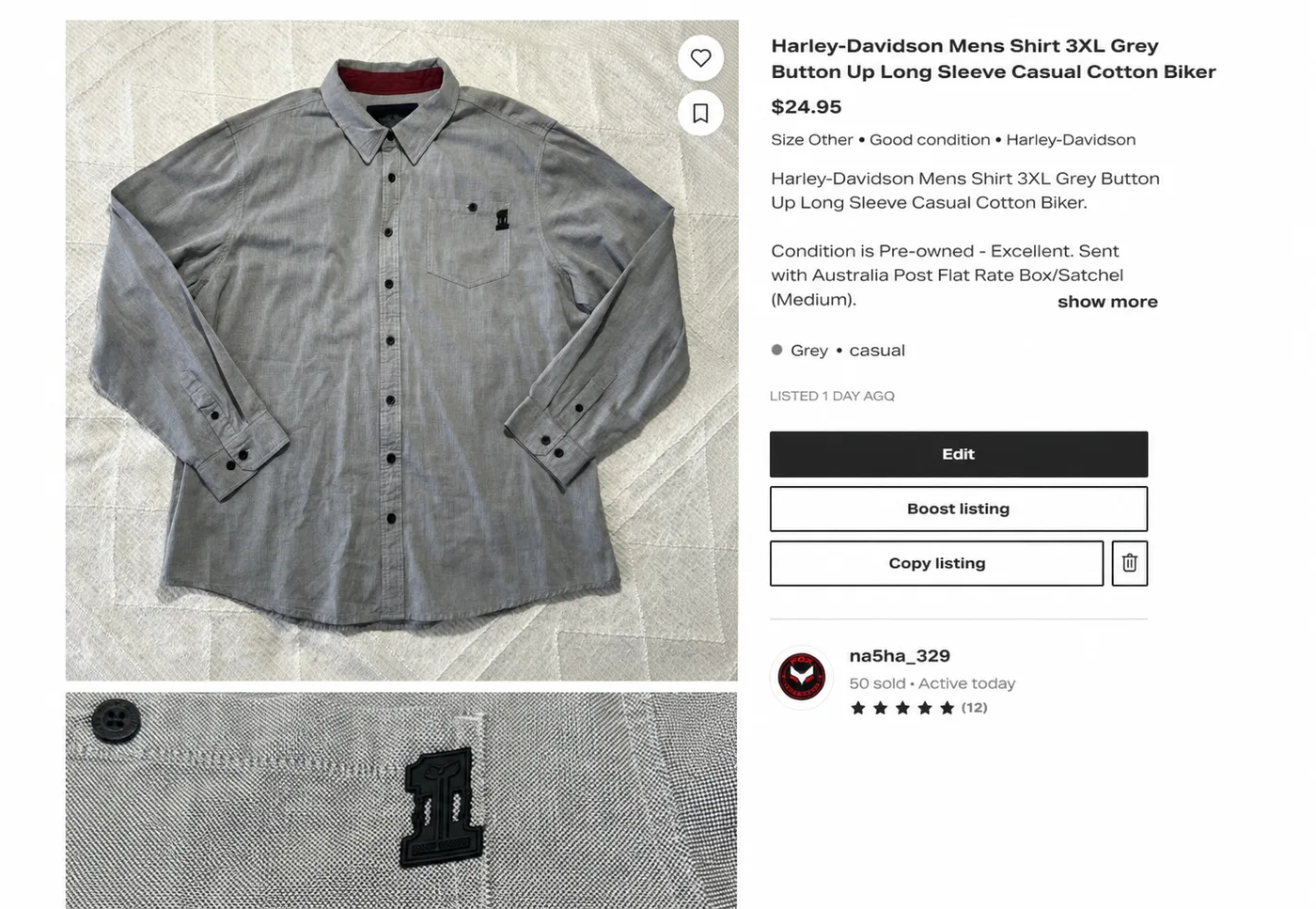
Before publishing, check the public-facing draft as a buyer would:
- Do all photos belong to this exact item?
- Is the cover clear on a phone?
- Do brand, size, category and colour agree with the photos?
- Are measurements and faults easy to find?
- Is the price correct?
- Is Australian postage complete?
- Has all eBay-only wording been removed?
Automation can prepare a draft. It cannot decide whether the final listing is honest and suitable.
Connect both listings to one stock item
Give the item one short identifier, such as SHIRT-042, and use it consistently:
- In your eBay record
- In the Depop SKU field or inventory record
- On the storage bag or shelf label
- In your spreadsheet or cross-listing tool
Depop now supports seller-created SKUs in its web Selling Hub. Its help page says SKUs must be unique and cannot be edited after publication, so choose the identifier carefully.
The goal is to be able to answer two questions immediately: where is the item stored, and where is it currently live?
Prevent the same item from selling twice
When the item sells on eBay, remove the Depop listing. When it sells on Depop, end the eBay listing.
Do this after confirming the order and before packing. Waiting until the end of the day creates a window in which another buyer can purchase stock you no longer have.
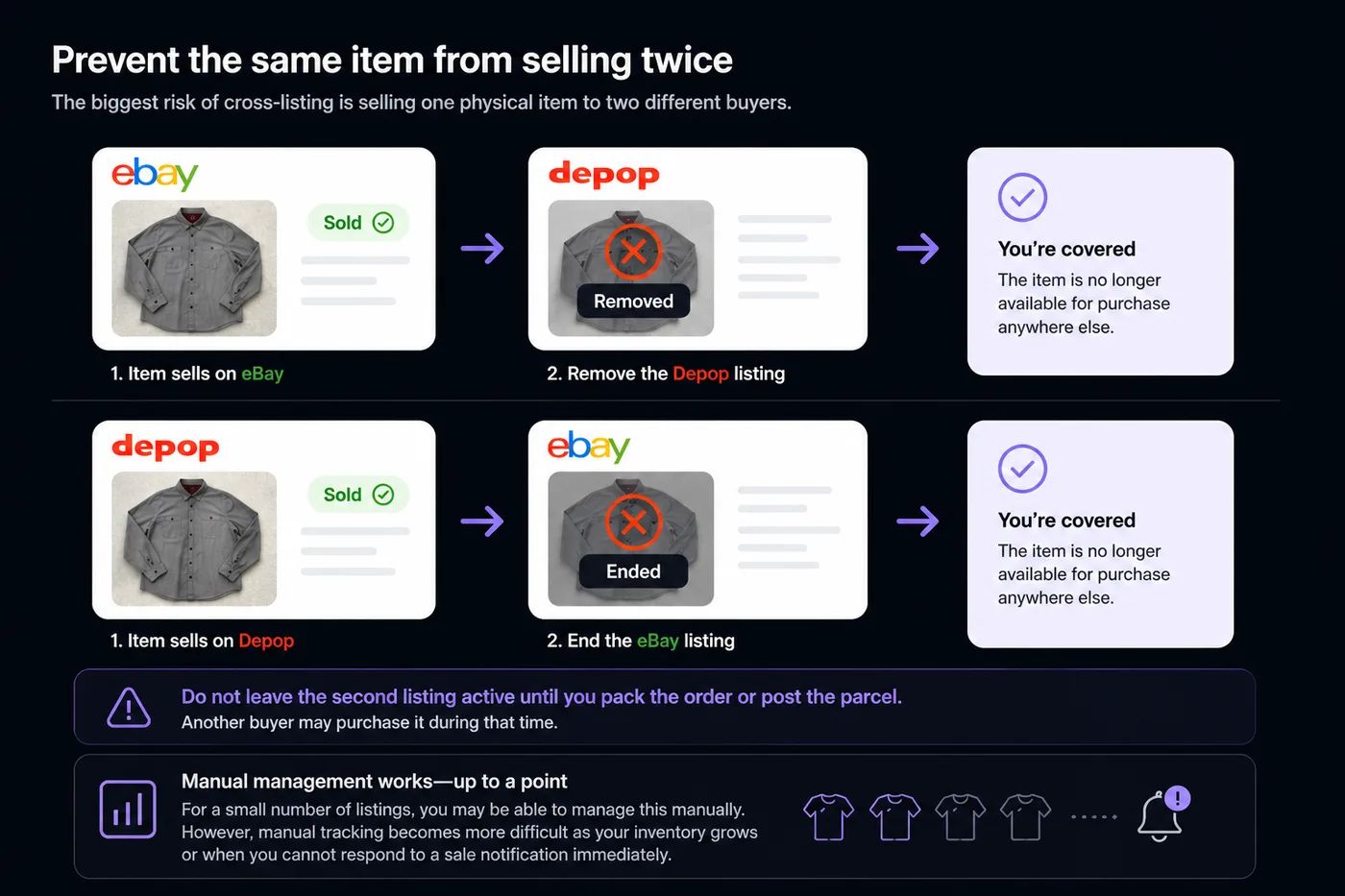
Manual tracking can work for a small batch if sale notifications are monitored and the matching listing is easy to find. As inventory grows, linked listings and automatic sold-item removal become more valuable—but every automated workflow still needs monitoring for failed connections or delayed marketplace updates.
Manual cross-listing checklist
For each item:
- Confirm the item and storage location.
- Check that it is suitable and allowed on Depop.
- Reuse and reorder the original photos.
- Adapt the title and description.
- Select Depop’s accurate fields.
- Check price and postage.
- Review and publish.
- Record the Depop URL beside the eBay listing.
- Confirm the same SKU appears in your inventory record.
- Remove the other listing immediately after a sale.
If this checklist feels unreliable for 10 items, fix the process before attempting 100.
Where Listalong fits
For the automatic setup, follow how to automatically crosslist from eBay to Depop. It shows the Always crosslist and Never crosslist rules, with screenshots and advice on when to keep approval-based posting.
Listalong’s eBay-to-Depop cross-listing workflow can reuse the product information and photos from an existing eBay listing, cross-list it to Depop automatically or by selection, and keep the matching marketplace listings connected. Listalong also works in reverse, from Depop to eBay.
You still decide which items belong on Depop, check the finished draft and remain responsible for listing accuracy. The software’s job is to reduce repeated entry and shorten the gap between a sale and removing the other live listing.
Sources checked
Marketplace features and policies can change. These official pages were checked on 20 July 2026: